
Features
One workspace for columns, walls, moment–curvature, and retaining walls.
The five tools share one calculation core, one unit system, and one report format. Enter data once and the surfaces, curves, check tables, and report update together.
Calculation tools
Rectangular column, biaxial
Rectangular and two-step stepped sections; interaction surface sampled every 5° or 1° of θ, with load checks.
Learn more →P–Mx–MyStructural wall, biaxial
Boundary elements, perimeter reinforcement, and double-layer web bars placed by spacing; boundary elements can be turned off.
Learn more →P–MCircular column P–M
Spiral (φ 0.75, 0.85φPo) and tied (φ 0.65, 0.80φPo) columns.
Learn more →M–φMoment–curvature fiber analysis
Yield, nominal, peak, and ultimate points, curvature ductility μφ, and multiple pinned curves for comparison.
Learn more →Code 112Cantilever retaining wall design
Static and seismic earth pressure, shear key, and groundwater, with stability checks through reinforcement in one pass.
Learn more →Feature comparison
| Feature | Rect. column | Struct. wall | Circ. column | Moment–curvature | Retaining wall |
|---|---|---|---|---|---|
| Interaction surface / diagram | 3D surface | 3D surface | P–M curve | — | — |
| Load combination check (D/C) | ● | ● | ● | — | Stability and strength |
| Excel / ETABS load paste | ● | ● | ● | — | — |
| Original research program txt import | ● | — | ● | ● | — |
| Calculation report (print / PDF) | ● | ● | ● | — | ● |
| Project file and share link | ● | ● | ● | ● | ● |
| tf·m / kN·m unit switch | ● | ● | ● | ● | ● |
Workflow features
Paste loads directly from ETABS
Copy the ETABS Column Forces table (with headers) and paste it; the P, M2, and M3 columns are recognized automatically and signs are converted. You can also paste four Excel columns: name, Pu, Mux, Muy. Check tens of thousands of cases at once, sort by D/C, and view only those that fail.
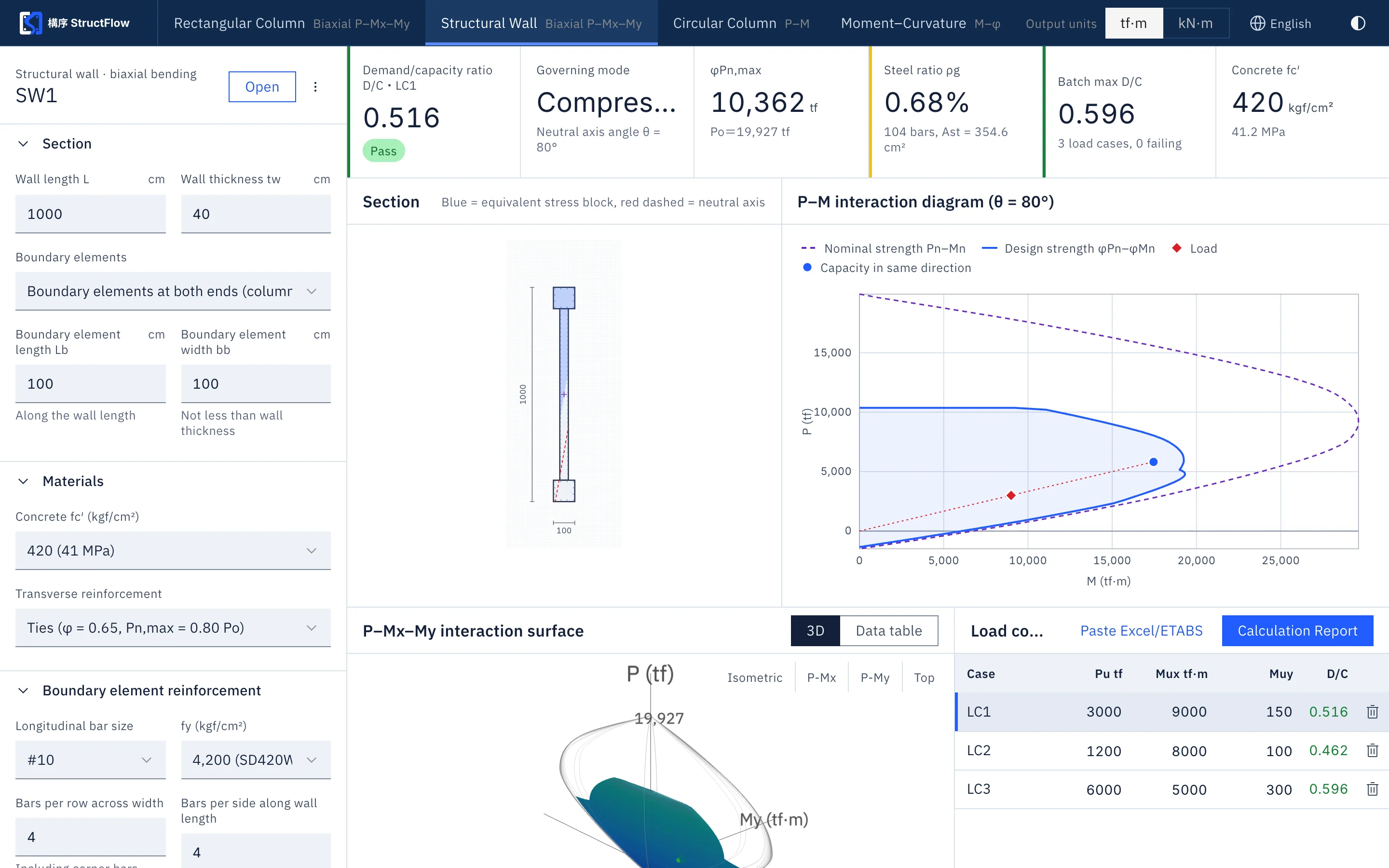
Open input files from the original research program
The txt input files of the original New RC program open directly, with section, materials, and reinforcement filled in automatically; blank fields are marked with the defaults applied, so existing cases transfer seamlessly.
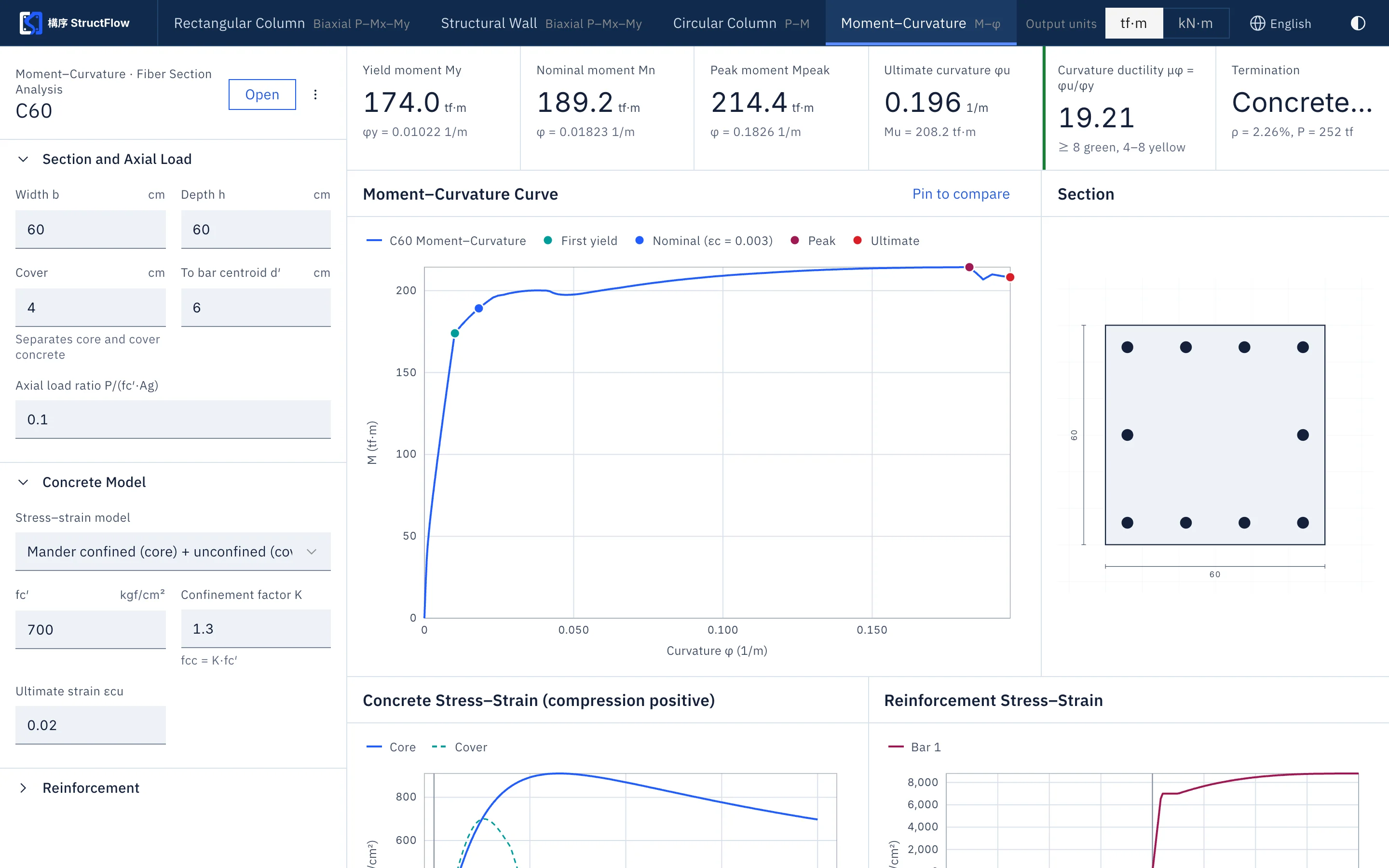
Calculation reports and traceability
The report contains the design basis, input parameters, interaction diagrams, check tables, and the calculation core version, and states the source of the calculation core. A project file can be saved locally or shared by link, so a reviewer opens the same result.
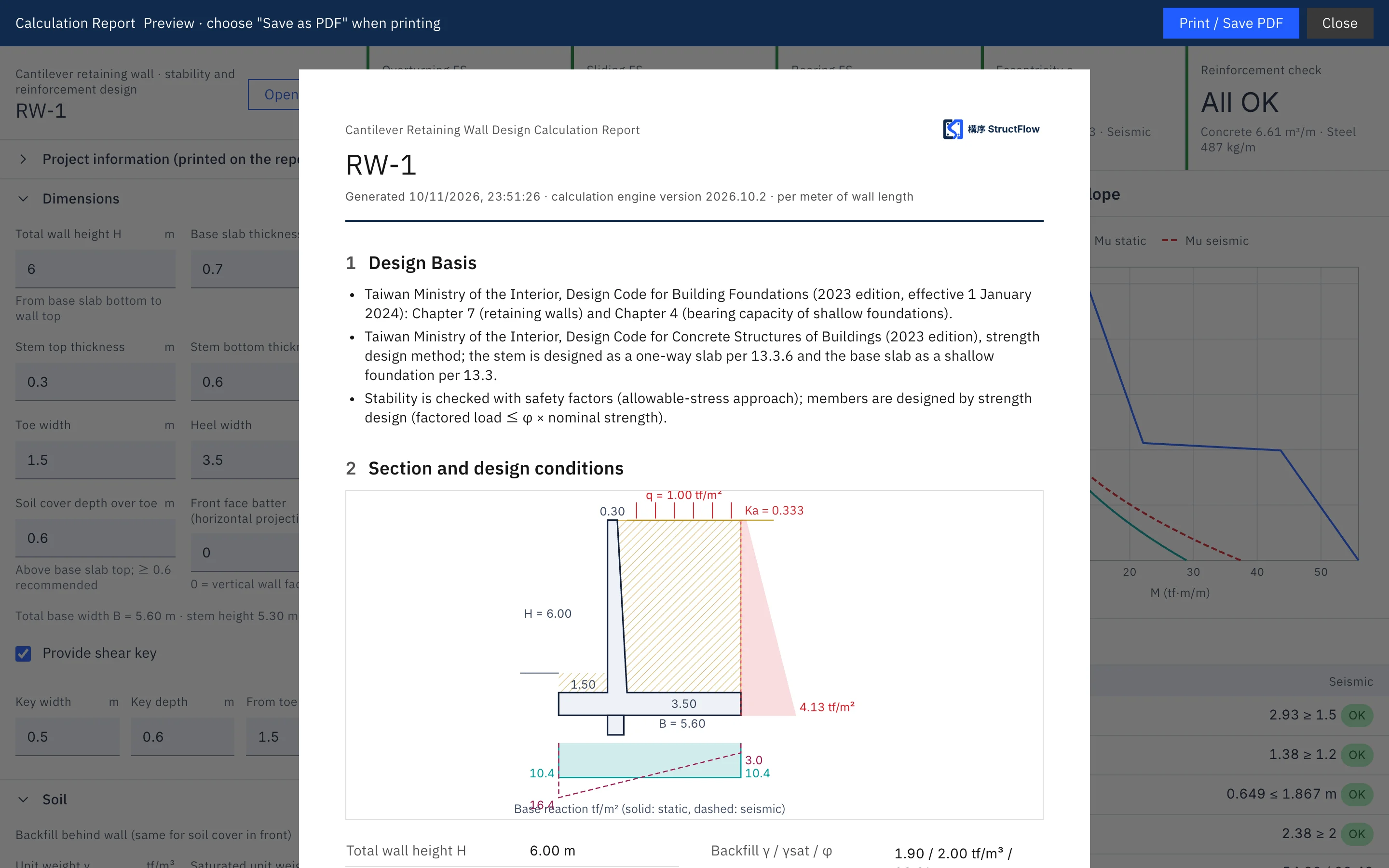
Run your next column yourself.
Sign up free with a SUHUL EIP account; all tools are open for 14 days.